Forgiven

Unreal Engine 5 (UE5): Empowering Indie Developers to Create Next-Gen Experiences
Unreal Engine 5 is a game-changing tool that has revolutionised the indie development landscape. As the latest iteration of Epic Games’ renowned game engine, UE5 offers a suite of advanced features and capabilities that have made it the go-to choice for indie developers seeking to create high-fidelity, visually stunning games.
Key Takeaways
- Unreal Engine 5 is a free-to-use game engine with cutting-edge tools like Nanite for virtualized geometry and Lumen for dynamic global illumination.
- The latest version, UE5.5, allows indie developers to create complete games like third-person action titles in under 3 hours of tutorial time.
- UE5 powers 70%+ of high-fidelity indie hits, making it the preferred choice for many studios.
- Compared to Unity’s scripting barrier, UE5’s Blueprints enable indie developers to prototype 10x faster.
- Recommended hardware includes AMD Ryzen Threadripper PRO 7985WX, RTX 4090 24GB, and 64-128 GB DDR5 RAM for an indie high-end setup.
Hardware and Software Requirements
To unleash the full potential of Unreal Engine 5, indie developers will need to meet certain hardware and software requirements. The recommended specifications include a quad-core Intel or AMD CPU clocked at 2.5 GHz or higher, 32 GB of RAM, and a DirectX 11 or 12 GPU with 8 GB or more of VRAM.
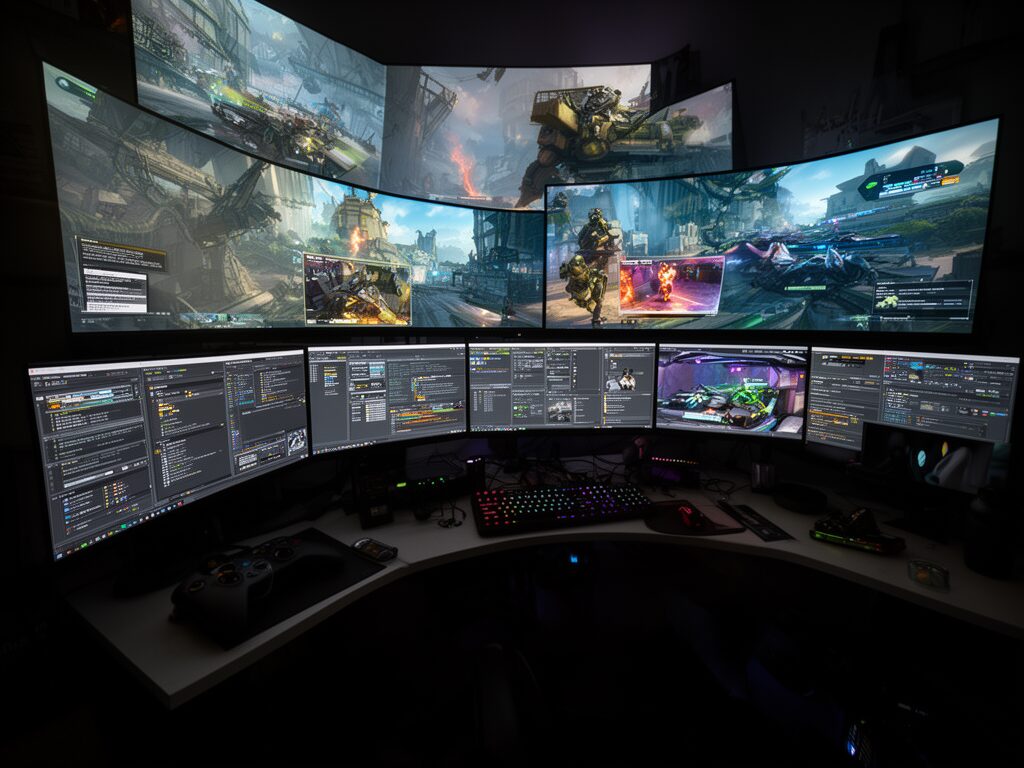
For those seeking a more high-end setup, an AMD Ryzen Threadripper PRO 7985WX (3.2-5.1 GHz), RTX 4090 24GB, 64-128 GB of DDR5 RAM, and 2-4 TB of PCIe Gen4 SSD storage can provide a significant performance boost. Benchmarks have shown that the RTX 4090 can compile shaders 25% faster than setups using the Ryzen 5950X.
On the software side, Windows 10 1703+ and Visual Studio 2022 are the minimum requirements, while macOS 15 is needed for Nanite and Lumen support on Mac systems. It’s worth noting that 32 GB of RAM is often sufficient for most indie projects, especially with the use of LOD (Level of Detail) and texture compression techniques.
Getting Started: Project Creation and Editor Interface
To begin your journey with Unreal Engine 5, you’ll need to download the latest version through the Epic Games Launcher. Once installed, you can create a new project using the “Game > Third Person template > Blueprint” option, which includes a functional character movement system to get you started.
Navigating the Unreal Engine 5 editor is straightforward, with WASD and right-mouse controls providing a drone-like view for easy camera control. Selecting actors (objects) within the scene will highlight them, and the Content Browser serves as your central asset library for importing and managing resources.
To test your creations, simply press F8 to enter play mode, where you can eject back to the editor or reset the scene by stopping the simulation.
Importing Assets and Character Setup
Bringing your game to life in Unreal Engine 5 starts with importing 3D models, animations, and textures. The engine supports a variety of file formats, including FBX for models and animations. Once imported, you can use the Material Editor to auto-generate materials, with nodes like Texture Sample for Base Color/RGB and M_RSS texture for Metallic/Roughness.
To set up your player character, you’ll need to create an Animation Blueprint tied to the imported skeleton. For a quick start, you can use the free Gorka Games ZIP which includes a player FBX model, animations, texture, and material.
Blueprint Coding Basics and Core Mechanics
One of the key advantages of Unreal Engine 5 for indie developers is its Blueprint visual scripting system, which allows you to implement complex game mechanics without writing a single line of C++ code. Using Blueprints, you can create enemy AI, weapon models, dash abilities, collectible coins, user interfaces, and even a cosmetic hat – all within a visual, node-based environment.
Compared to Unity’s scripting approach, Blueprints enable indie developers to build AI 5 times faster, allowing you to rapidly prototype and iterate on your game ideas. To get a better understanding, check out the full game build in 2:33:30 tutorial from Gorka Games.
Building Environments and Polish
Crafting captivating environments in Unreal Engine 5 is made easier with the engine’s powerful features. The Nanite virtualized geometry system allows you to seamlessly import and render huge open-world assets, while the Lumen global illumination technology ensures your environments are bathed in dynamic, realistic lighting.
To further enhance your game’s visual fidelity, consider utilizing Quixel Megascans, which are free to use for indie developers through the Epic Games Launcher. These high-quality environment assets can help you quickly build detailed and immersive game worlds.
Learning Tips for Indie Devs
Embarking on your Unreal Engine 5 journey as an indie developer can be both exciting and daunting. To help you navigate the process, we recommend following step-by-step tutorials like the ones created by Gorka Games, which can guide you through the process of building a complete game in just 2.5 hours.
Additionally, be sure to take advantage of the wealth of free resources available, such as the Gorka Games ZIP package, which includes essential assets to get you started. The Unreal Engine Forums are also a valuable resource, where you can find optimisation tips (like using 32-64 GB of RAM) and connect with the broader indie dev community.
Remember, 80% of indie developers fail due to overwhelm, so it’s crucial to start with a manageable project like a third-person action title. By following these learning tips and leveraging the power of Unreal Engine 5, you can take your indie game to the next level and create truly impressive experiences.
Sources:
Gorka Games
Epic Games
Unreal Engine Forums
Puget Systems
YouTube